1

Im looking for a workaround/solution to the problem below.

I have a program I am launching and then sending key commands via VBscript like so:

Set WshShell = WScript.CreateObject ("WScript.Shell")
WshShell.Run "C:\images\Employee-CopyBlob2File.exe", 1
WScript.Sleep 500
WshShell.SendKeys "%C"
WScript.Sleep 30000
WshShell.SendKeys "%X"

It works great, the problem is i need this to run, or something like this, while the computer is locked or not signed in (it will always be on)

Normally i would use the command line to pass the program parameters/arguments, but the program in question does not have those options built in.

The only way I can figure out to automate it is doing the script above, but i need it to work while the computer is locked.

Would really appreciate any help, i am stuck.

(I am open to any method someone can think of at this point)

This is on a Windows Computer, so linux/bash stuff is out.

To be more specific, i need to open the program in the screen shot, Select Copy Blob to File (Hence the %C) and then when its finished (the time delay) exit (%X)
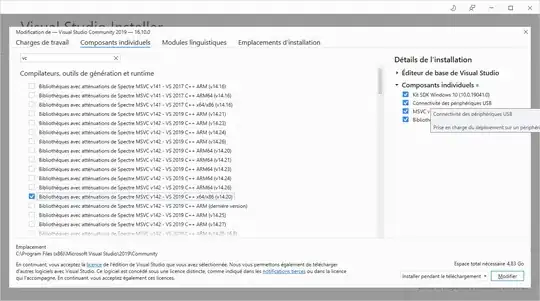
enter image description here

moore1emu
  • 476
  • 8
  • 27
  • Have you looked into using the Windows Task Scheduler? – paul Apr 09 '15 at 21:44
  • are you referring to running the script from task scheduler or the program itself? either way i don't have a way from the task scheduler to execute the needed commands, unless i am missing something? or are you saying windows task scheduler will allow me to execute the command while locked/not signed in? – moore1emu Apr 09 '15 at 22:34
  • so i was able to use the task scheduler to open the programs, but the sendkey commands do not work. – moore1emu Apr 09 '15 at 22:50
  • Sendkeys are never going to work. Say what you are doing. Alt C then 30 secs later Alt X doesn't say much. Your Run show state should be 1 not 9. 9 is not meant for the Run function but other API functions - makes little difference but might as well be correct as incorrect. – Serenity Apr 09 '15 at 22:57
  • The send keys are doing exactly what i want them to do. i have the delay setup to what i need. my issue is not the send key command, my issue is that it doesnt work under a lock screen./signed out. The Alt C executes the program and alt X closes it out, the timing is based on how long it takes to run. I am open to any ideas, but telling me it wont work is not really helping. – moore1emu Apr 09 '15 at 23:09
  • VB.Net compiler is on your computer. It can call API calls and understands vbs code (ie vbs code will work but lots of extra rules). Here's some basic steps http://stackoverflow.com/questions/26341753/how-to-find-the-window-title-of-activeforeground-window-using-window-script-ho/26349431#26349431 You'll need FindWindow to find the BUTTONS (which are windows) and use SendMessage to send them a click message. Both programs must run in the same desktop, so no task scheduler. – Serenity Apr 09 '15 at 23:28
  • Thanks Serenity, and this will work if no one is signed into the computer? – moore1emu Apr 09 '15 at 23:32
  • its also crossed my mind to see if i could wrap this exe file in another program that would allow me to execute the vbscript hidden all with in itself. like when you launched the program, the vbscript would run on the exe inside a vritualized version of itself...if that makes any sense... :( – moore1emu Apr 09 '15 at 23:35
  • A window station contains a clipboard, an atom table, and one or more desktop objects. Each window station object is a securable object. The interactive window station, Winsta0, is the only window station that can display a user interface or receive user input. It is assigned to the logon session of the interactive user, and contains the keyboard, mouse, and display device. All other window stations are noninteractive, which means they cannot display a user interface or receive user input. – Serenity Apr 10 '15 at 00:46
  • A desktop has a logical display surface and contains user interface objects such as windows, menus, and hooks; it can be used to create and manage windows.active desktop, also known as the input desktop, is the one that is currently visible to the user and that receives user input.By default, there are three desktops in the interactive window station: default, Winlogon, and screen-saver. The default desktop is created when the logged-on user starts a process. It is the active desktop, and it is used to interact with the user. If – Serenity Apr 10 '15 at 00:47
  • I cant decide if that is a yes or a no to my question of if it will work under lock screen. it also looks like your comments stop after if - – moore1emu Apr 10 '15 at 16:05
  • I ran out of space. It means unlikely to work. One can never say never in programming. If it's in a database then vbscript can get it direct. And save it. – Serenity Apr 11 '15 at 21:19

0 Answers0